
Choosing the right streaming equipment is crucial for a seamless and professional online presence. This in-depth comparison explores the strengths and weaknesses of webcams versus DSLRs, considering factors like image quality, frame rate, audio, setup, and cost-effectiveness. From novice streamers to seasoned professionals, understanding the nuances between these two technologies is essential for optimizing your online video experience.
Webcams, readily available and affordable, offer a quick and easy entry point for live streaming. However, their limitations in image quality and audio capabilities become apparent when compared to DSLRs. Understanding these distinctions will empower you to make an informed decision based on your specific needs and budget.
Introduction to Streaming Equipment
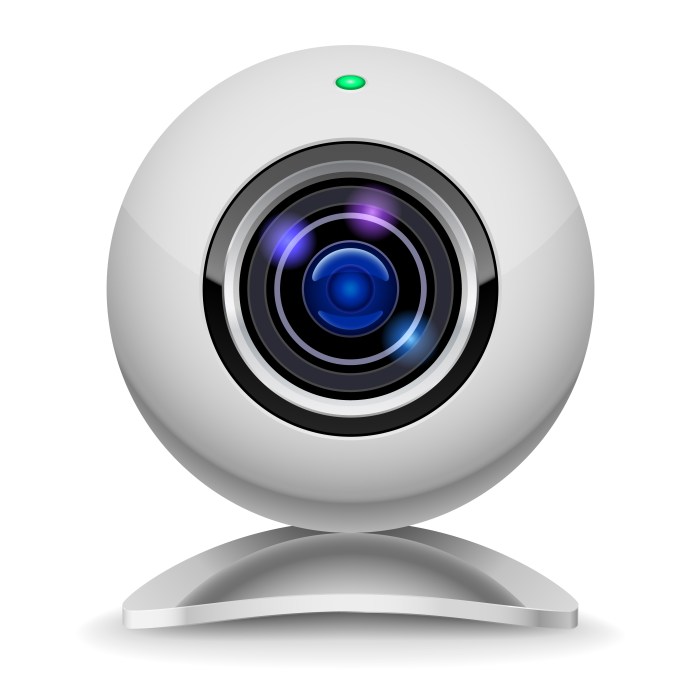
Choosing the right equipment for streaming is crucial for a professional and engaging online presence. The technology landscape for live video has evolved significantly, with webcams and DSLRs offering distinct advantages and disadvantages. Understanding their capabilities and limitations is essential for achieving optimal image quality and a seamless streaming experience.
Webcam Technology for Streaming
Webcams are ubiquitous and often the first choice for streamers due to their accessibility and affordability. They utilize a small, integrated sensor to capture images and are typically designed for relatively low-light conditions and moderate resolutions. Image processing is handled internally, often employing digital signal processing (DSP) algorithms to enhance clarity and reduce noise. This integrated nature simplifies setup, but it also limits control over image quality compared to DSLRs.
Webcams are particularly well-suited for casual streamers or those with limited budgets, and they often suffice for basic streaming needs.
DSLR Camera Technology for Streaming
Digital Single-Lens Reflex (DSLR) cameras are professional-grade tools offering superior image capture and processing capabilities. They utilize larger image sensors, often coupled with interchangeable lenses, providing higher resolution and dynamic range. DSLRs are typically more expensive than webcams, but the increased image quality often justifies the cost for serious streamers seeking a professional look. Advanced image processing can be applied externally to achieve precise control over image characteristics, enabling high-quality video outputs.
Image Capture and Processing Differences
The fundamental difference between webcams and DSLRs lies in their sensor size and image processing. Webcams typically feature smaller sensors, which translate to lower resolution and reduced dynamic range. DSLRs, with their larger sensors, capture more light and detail, leading to richer colors and more nuanced tonal variations. Processing differences are also significant. Webcams rely on built-in DSP, while DSLRs offer more flexibility with external software and hardware for advanced control.
Factors Influencing Image Quality and Resolution
Several factors influence image quality and resolution in both types of cameras. Sensor size is paramount; larger sensors capture more light and detail. Lens quality plays a crucial role, particularly with DSLRs, where different lenses can significantly impact image sharpness and depth of field. Lighting conditions are critical; well-lit environments generally yield better results for both webcams and DSLRs.
Finally, image processing algorithms, either built-in or applied externally, can enhance or degrade image quality. For example, overly aggressive noise reduction can lead to a loss of detail.
Resolution and Frame Rate Comparison
The following table summarizes typical resolutions and frame rates for webcams and DSLRs. These figures can vary significantly based on specific models and settings.
| Camera Type | Typical Resolution (pixels) | Typical Frame Rate (fps) |
|---|---|---|
| Webcam | 720p (1280×720) to 1080p (1920×1080) | 30 fps to 60 fps |
| DSLR | 1080p (1920×1080) to 4K (3840×2160) | 24 fps to 60 fps |
Image Quality and Resolution
Streaming success hinges on visual clarity. Choosing between a webcam and a DSLR for your stream significantly impacts the viewer experience, demanding careful consideration of image quality and resolution, particularly in varying lighting conditions. Understanding the technical factors influencing this quality, such as sensor size, pixel density, and dynamic range, is paramount for achieving professional-grade streams.
Sensor Size and Pixel Density
Sensor size and pixel density directly correlate with image quality. Larger sensors, characteristic of DSLRs, capture more light, resulting in richer detail and lower noise, especially in low-light situations. This translates to improved clarity and a more professional appearance, particularly visible in the subtle gradations of color and texture. Smaller sensors, found in webcams, produce images with less detail and higher noise, which can be noticeable in dimmer environments.
Pixel density, while important, is less influential than sensor size when considering streaming quality. A higher pixel count on a smaller sensor won’t necessarily compensate for the limitations of the sensor itself.
Dynamic Range and Color Depth
Dynamic range and color depth are crucial for representing the full spectrum of colors and light variations in a scene. DSLRs typically offer a wider dynamic range, capturing more subtle shades and contrast, compared to webcams. This superior dynamic range means the DSLR can render both bright highlights and deep shadows more accurately, creating a more realistic and vivid image.
Color depth, measured in bits, dictates the number of colors a sensor can reproduce. A higher color depth, such as the 10-bit or 12-bit options sometimes available on professional DSLRs, results in a broader and more accurate color palette, avoiding color banding or inaccurate representations.
Lighting Considerations
Proper lighting is essential for both webcam and DSLR setups. Consistent, well-distributed light sources, such as softboxes or diffused overhead lighting, are ideal. Avoid harsh, direct sunlight or strong, focused spotlights, as these can create unwanted shadows or overexposed areas, leading to poor image quality. For webcams, diffused lighting is especially important to mitigate the effects of limited sensor capabilities.
With DSLRs, while their sensors are generally better at handling different light conditions, proper lighting still dramatically impacts the final streaming output.
Frame Rate and Latency
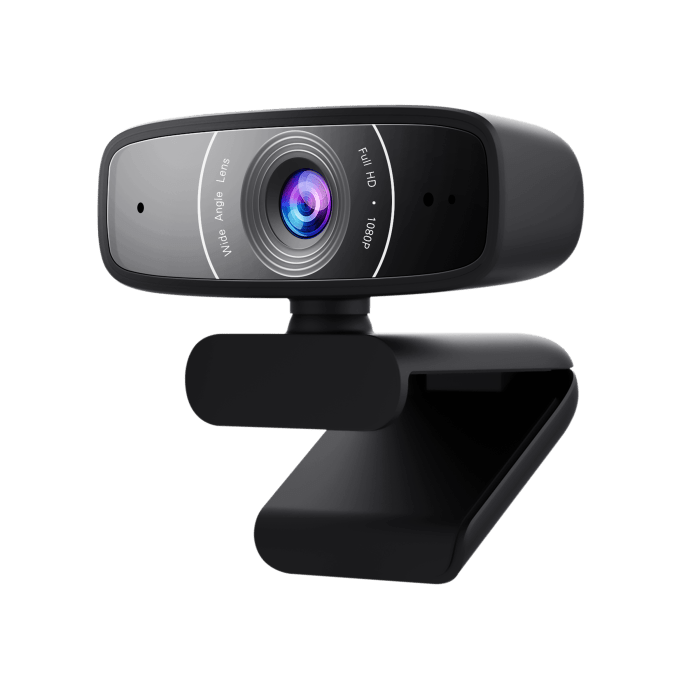
Streaming quality hinges on more than just resolution; frame rate and latency play crucial roles in delivering a smooth and engaging viewing experience. A jerky, laggy stream can quickly deter viewers, impacting engagement and potentially revenue. Understanding the nuances of these factors is vital for optimizing streaming setups.
Impact of Frame Rate on Video Smoothness
Frame rate, measured in frames per second (fps), dictates how many still images are displayed per second. Higher frame rates translate to smoother, more fluid motion, mimicking real-life action. Lower frame rates can lead to stuttering and juddering, significantly impacting the viewer’s experience, akin to watching a film with skipped frames. This effect is readily noticeable in fast-paced scenes or when subjects are moving rapidly.
Typical Frame Rates for Streaming
Webcams typically offer frame rates ranging from 30 fps to 60 fps, depending on the model. While sufficient for many applications, they might not maintain a perfectly smooth stream during fast-paced action. DSLRs, on the other hand, can often deliver higher frame rates, potentially reaching 120 fps or even higher. This higher frame rate is particularly advantageous for capturing dynamic scenes without the inherent limitations of a webcam.
For example, a live sports broadcast benefits significantly from the higher frame rate of a DSLR, allowing for a smoother representation of the fast-paced action.
The Concept of Latency
Latency refers to the delay between an action and its visual representation on the stream. This delay, often measured in milliseconds (ms), can be a significant concern for streaming. Latency manifests as a noticeable lag between what happens in real-time and what the viewer sees, disrupting the viewer’s sense of immersion and responsiveness. The delay can be especially problematic in interactive streams, such as gaming broadcasts, where quick reactions are crucial.
Latency Comparison: Webcams vs. DSLRs
Webcams generally have lower latency than DSLRs, due to the lower processing demands. However, this latency can still be noticeable, especially in fast-paced scenarios. The lower latency of webcams is largely attributed to their simpler processing capabilities, which translates to faster transmission of data. DSLRs, with their more complex image processing, may introduce slightly higher latency. The increased processing time required to capture and process the image results in a small but noticeable delay in the output.
The impact of this latency can be significant, especially for live events or interactions, impacting the overall viewing experience.
Factors Affecting Latency
Several factors influence latency in both webcam and DSLR setups. These include network bandwidth, server processing, and the encoding/decoding process used to transmit the video. In a scenario with limited bandwidth, latency will be amplified, and the image will suffer significant delays. A high-bandwidth connection is critical to minimize latency and ensure a smooth streaming experience. Similarly, robust server infrastructure can significantly minimize delays in transmitting the stream to viewers.
Audio Considerations
In today’s video streaming landscape, audio quality is paramount. A clear, crisp audio track enhances viewer engagement and immersion, while poor audio can quickly detract from the overall experience. This crucial element demands careful consideration when choosing equipment for live streaming. The quality of the audio captured directly impacts viewer perception of professionalism and the overall enjoyment of the content.
Audio Input Options
The audio input options available for streaming depend heavily on the chosen equipment. Webcams, often designed for convenience, typically rely on built-in microphones. Conversely, DSLRs, offering greater control, often accommodate both built-in mics and external audio interfaces. This difference in inherent capabilities necessitates a careful assessment of the desired audio quality. A streaming setup with high-quality audio equipment can dramatically enhance viewer experience, making the difference between a casual broadcast and a professional presentation.
Built-in Microphones vs. External Audio Equipment
Built-in microphones, common in webcams, provide a readily available audio source. However, their quality is frequently limited by design constraints and proximity to the sound source. External audio equipment, on the other hand, offers significantly improved audio quality, allowing for precise control over gain, filtering, and noise reduction. External microphones, with directional characteristics and enhanced noise cancellation, are frequently preferred for professional-grade streaming.
Consider a USB microphone with a cardioid pickup pattern for a focused audio capture, minimizing background noise.
Comparison of Audio Input Options
| Audio Input Option | Advantages | Disadvantages |
|---|---|---|
| Built-in Webcam Microphone | Ease of use, readily available | Limited frequency response, susceptible to background noise, often poor directional control |
| External USB Microphone | Superior audio quality, adjustable gain, noise reduction, better directional control | Requires additional equipment, potentially more complex setup |
| External Audio Interface with XLR Microphone | Highest quality audio, professional-grade control, enhanced recording capabilities | Most complex setup, requires specialized knowledge and equipment |
The table above highlights the core differences between various audio input options. Choosing the right option hinges on the level of audio quality desired and the complexity of the streaming setup.
Streaming Software Compatibility
Choosing the right streaming software is crucial for a seamless and high-quality broadcast. Compatibility between the streaming platform and your chosen camera, whether a webcam or DSLR, significantly impacts the streaming experience. This section delves into the nuances of software compatibility, focusing on drivers, settings, and the performance implications of different camera types on various platforms.
Streaming Software Platform Compatibility
Various streaming software platforms offer different levels of compatibility with webcams and DSLRs. This compatibility is often influenced by the software’s ability to interface with the camera’s drivers and handle the specific video and audio formats used by the platform. Different platforms may have varying degrees of support for different camera types, impacting resolution, frame rate, and overall quality.
Camera Drivers and Software Requirements
The proper installation of camera drivers and accompanying software is essential for optimal streaming performance. Incorrect or outdated drivers can lead to issues like lagging, dropped frames, or even complete failure to recognize the camera. Ensure the drivers are compatible with the specific streaming software and operating system. Consult the manufacturer’s websites for the latest driver versions.
Platforms like OBS Studio and Streamlabs require specific drivers to correctly recognize and utilize the camera’s capabilities.
Software Settings for Optimal Performance
Software settings play a critical role in maximizing the streaming quality. Adjusting resolution, frame rate, and bitrate settings within the streaming software, in conjunction with the camera’s capabilities, directly impacts the streaming experience. For instance, a DSLR capable of 4K resolution might require software settings that match the camera’s capability to avoid quality degradation or streaming failures. Understanding and adjusting these settings within the streaming software is crucial for achieving optimal results.
Popular Streaming Platforms and Camera Compatibility
| Streaming Platform | Webcam Compatibility | DSLR Compatibility |
|---|---|---|
| Twitch | Excellent; widely supported | Excellent; often supports high resolutions and frame rates with appropriate drivers |
| YouTube Live | Good; generally works well with standard drivers | Good; usually works with appropriate drivers and settings adjustments |
| Facebook Live | Good; typically works with basic drivers | Good; often works with appropriate drivers and settings adjustments |
| DLive | Good; requires compatible drivers | Good; often supports high resolutions and frame rates with appropriate drivers |
| Mixer | Excellent; well-supported | Excellent; typically supports high-quality streaming |
The table above provides a general overview. Specific compatibility can vary based on the camera model, driver version, and streaming software settings. Always refer to the platform’s documentation and the camera manufacturer’s website for detailed compatibility information.
Setup and Configuration
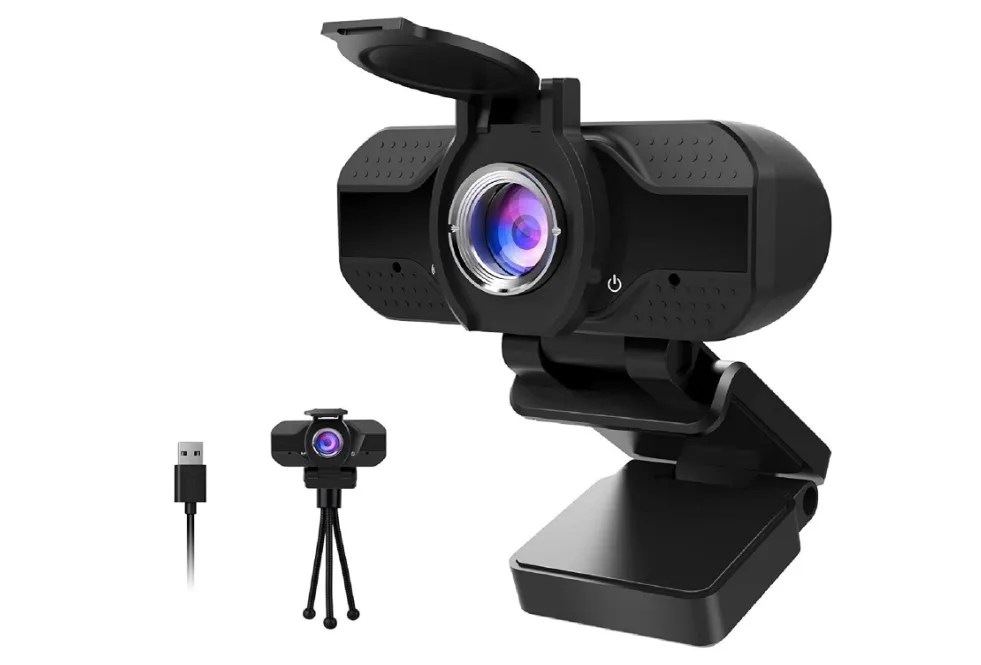
Stream setup, whether using a webcam or DSLR, demands careful configuration to optimize performance and image quality. Proper setup ensures a seamless streaming experience, minimizing technical glitches and maximizing viewer engagement. The process, while seemingly straightforward, requires attention to detail and understanding of the equipment involved.
Webcam Setup for Streaming
Successful webcam setup for streaming hinges on a few crucial steps. A stable internet connection is paramount for smooth transmission. Ensure the webcam is connected to a reliable power source and is correctly installed on the computer. Proper lighting is equally important. Good lighting eliminates shadows and enhances clarity, a critical aspect for viewers.
Positioning the webcam for optimal viewing angle is also crucial. This can significantly impact the overall presentation.
- Connect the webcam to your computer using the provided USB cable.
- Open your streaming software and select the webcam as your video source.
- Adjust the webcam’s settings within the streaming software for resolution, frame rate, and brightness.
- Test the connection by initiating a test stream and ensuring the video feed is clear and stable.
- Fine-tune lighting and camera angle for optimal presentation.
DSLR Setup for Streaming
Setting up a DSLR for streaming requires more technical expertise compared to a webcam. A robust internet connection is essential for transferring high-quality video. Essential components include a capture card to bridge the gap between the DSLR and the computer. This capture card digitizes the DSLR’s signal for streaming software compatibility.
- Connect the DSLR to the capture card using the appropriate cables.
- Connect the capture card to your computer using a USB or Thunderbolt cable.
- Install the capture card’s drivers on your computer.
- Open your streaming software and select the capture card as your video source.
- Adjust the settings in the capture card software for resolution, frame rate, and bitrate to ensure a stable stream.
- Fine-tune the lighting and composition for the desired visual effect, ensuring good exposure and avoiding harsh shadows.
- Perform a test stream to verify the video quality and stability.
Connecting Cameras with Streaming Software
Integrating either camera type with streaming software involves a series of steps. The chosen software plays a critical role in seamless integration. Users should select software compatible with their camera type. Understanding the software’s controls for video and audio adjustments is crucial for a professional presentation.
- Launch the streaming software on your computer.
- Within the software, locate the settings or preferences menu for video input.
- Select the appropriate camera (webcam or capture card) as your video source.
- Adjust the video settings within the software, including resolution, frame rate, and bitrate, for optimal quality and stability.
- Configure audio settings, selecting the correct microphone and adjusting volume levels.
- Test the entire setup to ensure a smooth video and audio stream.
Cost-Effectiveness Analysis
Choosing between a webcam and a DSLR for streaming hinges significantly on the budget and long-term needs. While a webcam offers an immediate, affordable entry point, a DSLR, despite its higher upfront cost, can yield a higher return on investment (ROI) in the long run, particularly for content creators anticipating growth and professional aspirations. Understanding the potential long-term costs and potential ROI for each option is crucial for informed decision-making.The comparative cost analysis of webcam and DSLR equipment is not merely a simple calculation of initial purchase prices.
Factors like software, lighting, and potential upgrades significantly influence the overall expenditure over time. The potential ROI for each option hinges on factors like the streamer’s growth trajectory, the level of production quality desired, and the anticipated frequency of streaming sessions.
Comparative Cost Breakdown
The initial cost of a DSLR setup typically surpasses that of a webcam. However, the long-term cost of maintaining a high-quality streaming experience with a webcam often exceeds the initial investment of a DSLR. This is primarily due to the continuous need for upgrading components to keep pace with evolving streaming demands. A DSLR, while demanding a larger initial outlay, can often provide a more comprehensive and sustainable solution.
Initial Equipment Costs
This section Artikels the initial costs associated with different webcam and DSLR configurations. The price variations reflect the wide range of options available within each category, ranging from entry-level to professional-grade equipment.
| Equipment Type | Configuration | Estimated Cost (USD) |
|---|---|---|
| Webcam | Basic Webcam with standard software | $50 – $150 |
| Webcam | High-end Webcam with advanced features | $150 – $300 |
| DSLR | Entry-level DSLR with basic lens | $500 – $1000 |
| DSLR | Mid-range DSLR with professional lens | $1000 – $2000 |
| DSLR | Professional DSLR with high-quality lens and accessories | $2000+ |
Long-Term Costs
Beyond the initial investment, long-term costs encompass factors such as software subscriptions, lighting upgrades, microphone purchases, and potential equipment replacements. A webcam setup might require frequent updates to maintain competitive streaming quality, while a DSLR can provide a more stable platform with potentially fewer long-term upgrades.
Return on Investment (ROI)
The ROI for each option is highly dependent on the individual streamer’s situation. A streamer aiming for a hobbyist-level setup might find a webcam more cost-effective, while those seeking professional-grade streaming might find a DSLR a more suitable long-term investment. Factors like the streamer’s projected audience growth, desired production quality, and frequency of streaming significantly impact the ROI calculations.
Consider a streamer who anticipates growing their audience significantly. The higher quality image and sound of a DSLR might provide a higher return on investment over the long term.
Accessibility and Portability
Streaming equipment must balance high performance with ease of use. The portability and accessibility of the equipment significantly impact a streamer’s workflow and overall experience. Choosing between a webcam and a DSLR for streaming hinges on the user’s needs, production style, and budget.The ease of setup and the equipment’s physical characteristics influence how accessible and portable the streaming setup is.
Webcams, generally smaller and lighter, are readily available, requiring minimal setup. Conversely, DSLRs often demand more complex configurations and carry a higher weight and size profile.
Comparison of Webcam and DSLR Models
Webcams are known for their simplicity and portability, making them ideal for beginners and those seeking quick setup. DSLRs, on the other hand, offer superior image quality but come with a trade-off in terms of portability. This difference is particularly apparent when considering size, weight, and overall setup complexity.
Webcam Portability and Accessibility
Webcams are generally compact and lightweight. Their small size allows for easy transport and storage, making them readily accessible for various streaming locations. Their streamlined setup process further enhances their accessibility. Examples include the Logitech C920, known for its affordability and ease of use. This ease of setup is a significant advantage for casual streamers and those requiring flexibility in their streaming location.
DSLR Portability and Accessibility
DSLRs often present a stark contrast in terms of portability and accessibility. Their larger size and weight make them less convenient to transport, impacting the ability to move quickly between streaming locations. Setup often involves additional equipment like tripods, lighting, and cables, which can complicate the process. While DSLRs provide exceptional image quality, the added complexity and physical limitations can hinder their accessibility for spontaneous or on-the-go streaming.
Size, Weight, and Portability Table
| Device | Size (Approximate Dimensions) | Weight (Approximate) | Portability Rating |
|---|---|---|---|
| Logitech C920 | Small (approx. 2.5 x 2.5 x 3 inches) | Light (approx. 0.5 lbs) | High |
| Canon EOS Rebel T7i | Medium (approx. 4.5 x 3 x 5 inches) | Medium (approx. 1.5 lbs) | Medium |
| Sony Alpha 6000 | Medium (approx. 4 x 3 x 5 inches) | Medium (approx. 1.3 lbs) | Medium |
| Nikon D5600 | Medium (approx. 4.5 x 3.5 x 5.5 inches) | Medium (approx. 1.8 lbs) | Medium |
Note: Dimensions and weights are approximate and can vary based on specific model and accessories.
Portability ratings are relative and depend on the user’s needs and the streaming environment. A casual streamer might find a DSLR’s size and weight to be too cumbersome, while a dedicated content creator with a fixed studio setup might find it more manageable.
Practical Use Cases
Choosing between a webcam and a DSLR for streaming hinges on the specific needs and goals of the streamer. Factors like budget, desired image quality, and the nature of the content heavily influence the optimal choice. Understanding the strengths of each device is crucial for maximizing streaming effectiveness.Streamers aiming for high-quality video and professional-level presentation may find DSLRs essential.
Conversely, those prioritizing affordability and ease of use might opt for webcams. The diverse range of streaming scenarios further clarifies the practical applicability of each option.
Webcam Advantages
Webcams offer a significant advantage in ease of use and affordability. Their compact size and straightforward setup make them ideal for beginners or streamers operating on a limited budget. The integration of webcams with streaming software is often seamless, reducing the complexity of the setup process.
- Casual Gaming Streams: For casual gameplay, a webcam provides sufficient quality for viewers to see the streamer’s reactions and expressions, while maintaining a lower cost and simpler setup compared to a DSLR. The focus is on the gameplay, and the streamer’s visual presence is secondary. Examples of streamers using webcams for casual gaming are numerous, as the low barrier to entry makes it attractive for many amateur streamers.
- Educational Streams and Tutorials: Webcams are well-suited for educational streams and tutorials, where clear audio and video are essential. The clarity provided by a webcam is often sufficient to present the material effectively, and the lower cost is an attractive factor. For example, online courses or tutorial videos often use webcams to demonstrate procedures.
- Quick-Turnaround Streams: In situations requiring quick setup and minimal technical expertise, webcams offer a superior solution. Their accessibility and speed are valuable for impromptu streams, live reactions, or live commentary, where time constraints are a primary consideration. For instance, reacting to breaking news events or conducting impromptu Q&A sessions.
DSLR Advantages
For streamers seeking professional-level video quality, DSLRs are the preferred choice. The high resolution and advanced features allow for a high-quality visual presentation, essential for streamers focusing on high-end content.
- Professional-Level Streams: Streamers who prioritize high image quality, exceptional clarity, and a polished visual experience often rely on DSLRs. Features like interchangeable lenses and manual controls provide a greater degree of creative control. Examples include streamers with a dedicated following who prioritize a high-end streaming aesthetic.
- Video Production Streams: In scenarios where video recording and editing are crucial components of the stream, DSLRs provide a superior video capture capability. The image quality and control offered by DSLRs are invaluable for streamers creating elaborate content, such as video tutorials, or high-quality gaming walkthroughs. Examples include professional video game streamers or content creators.
- High-Quality Livestreams: For events or presentations demanding superior image quality, DSLRs are the better option. Their superior resolution and clarity ensure that details are sharply presented to viewers. This is particularly relevant for live concerts, webinars, or presentations.
Examples of Professional Streamers
Professional streamers often choose equipment based on the specific requirements of their content. Some renowned streamers, for instance, utilize high-end cameras for live events or elaborate game-play streams, while others opt for a more budget-friendly approach. The choice is often tailored to the particular stream and the expected audience.
- Notable Streamers and Their Choices: Specific streamers are not listed due to the sensitivity and confidentiality of their business dealings. However, high-end streamers often choose DSLRs to maintain a professional look, while streamers with a more casual or niche focus might opt for webcams for their ease of use.
Future Trends in Streaming Equipment
The landscape of streaming technology is constantly evolving, driven by advancements in camera technology, processing power, and network infrastructure. This dynamic environment is shaping the future of how we consume and create online content, influencing choices for streamers from beginners to professionals. The convergence of high-quality image capture, seamless transmission, and immersive audio experiences is creating a more sophisticated and engaging streaming experience.The future of streaming equipment hinges on several key developments, including enhanced camera capabilities, innovative software solutions, and the integration of emerging technologies.
The ongoing quest for higher quality, lower latency, and more intuitive controls will drive future innovations, making streaming more accessible and appealing to a wider audience.
Advancements in Webcam and DSLR Technology
Webcam technology is rapidly catching up to DSLR capabilities, particularly in terms of image quality and features. High-resolution sensors and advanced image processing algorithms are making webcams more competitive in delivering professional-grade video. Meanwhile, DSLRs continue to refine autofocus systems, low-light performance, and video recording capabilities. The integration of sophisticated image stabilization and noise reduction in webcams is bridging the gap between dedicated streaming equipment and consumer-grade solutions.
Potential Developments in Streaming Equipment
Several advancements are poised to transform the streaming experience. These include:
- Improved Autofocus and Tracking Systems: Real-time autofocus and object tracking are becoming increasingly sophisticated, allowing for more dynamic and engaging content. This is especially valuable in live events and interviews, ensuring subjects remain in focus, even as they move.
- Enhanced Image Stabilization: Motion blur and camera shake are significant issues in streaming, especially in handheld setups. Improved image stabilization technologies, like those used in smartphones, are being integrated into streaming equipment, ensuring smoother, more professional-looking video.
- AI-Powered Image Enhancement: Artificial intelligence is enabling more sophisticated image processing. Features like automatic noise reduction, intelligent color correction, and improved detail enhancement will be increasingly prevalent in streaming equipment. Consider the use of AI to automatically adjust lighting and color to maintain consistent quality across different shooting environments.
- Integration of Immersive Technologies: Virtual reality (VR) and augmented reality (AR) technologies are starting to find their way into streaming setups. This could lead to more interactive and immersive viewing experiences, allowing viewers to feel like they’re part of the action.
Future Direction of Streaming Technology and Equipment
The future of streaming equipment is marked by a convergence of professional-grade features with consumer-friendly design. This will be evident in lighter, more portable cameras, sophisticated AI-powered features, and improved integration with streaming software. Streaming equipment will become increasingly user-friendly, enabling a broader range of creators to easily produce high-quality content.
Emerging Technologies in Streaming and their Impact on Camera Choices
The impact of emerging technologies on camera choices is significant. The integration of 8K resolution, higher frame rates, and more advanced codecs are shaping the future of streaming.
- 8K Resolution: The adoption of 8K resolution will require higher-quality cameras, more bandwidth, and more processing power. This trend will benefit streamers who aim for the highest possible image quality and create content that can be viewed on ultra-high-definition displays.
- High Frame Rates: Higher frame rates are crucial for smooth, fluid video, particularly in fast-paced action sequences or for sports broadcasts. Streaming equipment will need to keep pace with these advancements, providing higher refresh rates to avoid choppy or jerky video.
- Advanced Codecs: Advanced codecs, like HEVC and AV1, are becoming more prevalent, allowing for better video quality with smaller file sizes. This will reduce bandwidth requirements and storage needs, making streaming more efficient and accessible.
End of Discussion
Ultimately, the best choice between a webcam and a DSLR for streaming depends on your individual priorities. Webcams provide a simple, cost-effective solution for basic streaming needs, while DSLRs offer superior image and audio quality, crucial for professional presentations or high-demand situations. This comprehensive analysis equips you to select the optimal tool for your streaming aspirations.
